

One App. One Walk. One Record.
Albi Capture turns every site visit into a complete job record. Scan the room to generate a floor plan. Capture the space in 360°. Pin photos, videos, moisture readings, and equipment to the rooms they belong to, and push to Xactimate® — all inside the Albi app your team already uses.
No separate apps.
No per-scan fees.
No waiting.
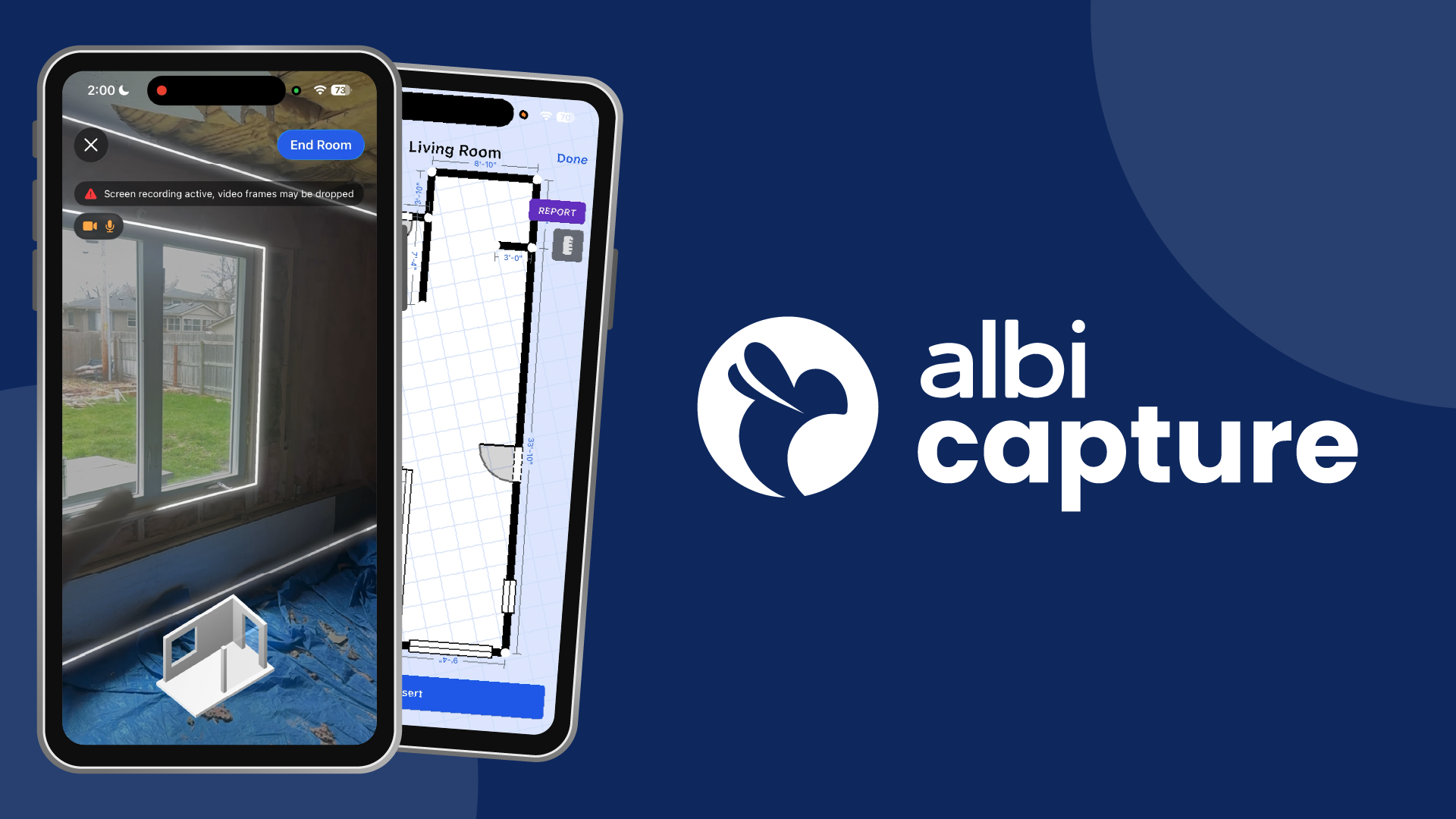
Built for restoration. Already in Albi.
Capture is two features working as one workflow. Albi Floor plans generates an accurate, estimating-ready sketch from a walk-through with your iPhone. Albi 360 creates a navigable, full-environment record of every loss site, pinned to the rooms in the plan. Both live inside the Albi job file — the same file your estimators, PMs, and adjusters already use.
Frequently Asked Questions
What is the fastest way to document a restoration job?
Albi Capture combines iPhone LiDAR floor plans with 360° image capture in one walk-through. A technician can scan each room in 2–3 minutes, generate a complete floor plan in under 10 seconds, and pin a full 360° record of the space to every room — all inside the Albi job file.
Can I capture floor plans and 360° photos with my iPhone?
Albi Floorplans runs on iPhone 12 Pro or newer (LiDAR required). Albi 360 uses a Ricoh THETA connected to the Albi app, with Insta360 support coming soon. Both features work in the same walk-through — no swapping apps, no swapping devices.
-

$0 Per Scan.
Floorplans and 360 are both included in your Albi subscription. Scans, captures, no add-on costs and no waiting on a third-party sketch service.
-

Everything Pinned to the Job File.
Floor plans, 360° images, photos, videos, moisture readings, and equipment logs all attach to specific rooms — and live in the same Albi job file your estimators and PMs are already using.
-

One Walk. Complete Record.
Same walk-through captures the sketch and the full environment. Your estimator sees the whole space before the adjuster asks. Supplements get approved faster. Crews don’t go back.

- 30–45 minutes saved per job
- Push directly to Xactimate®
- 98% dimensional accuracy
- One walk-through, complete record
- Estimates move faster
- No follow-up site visits
How Albi Floorplans Works
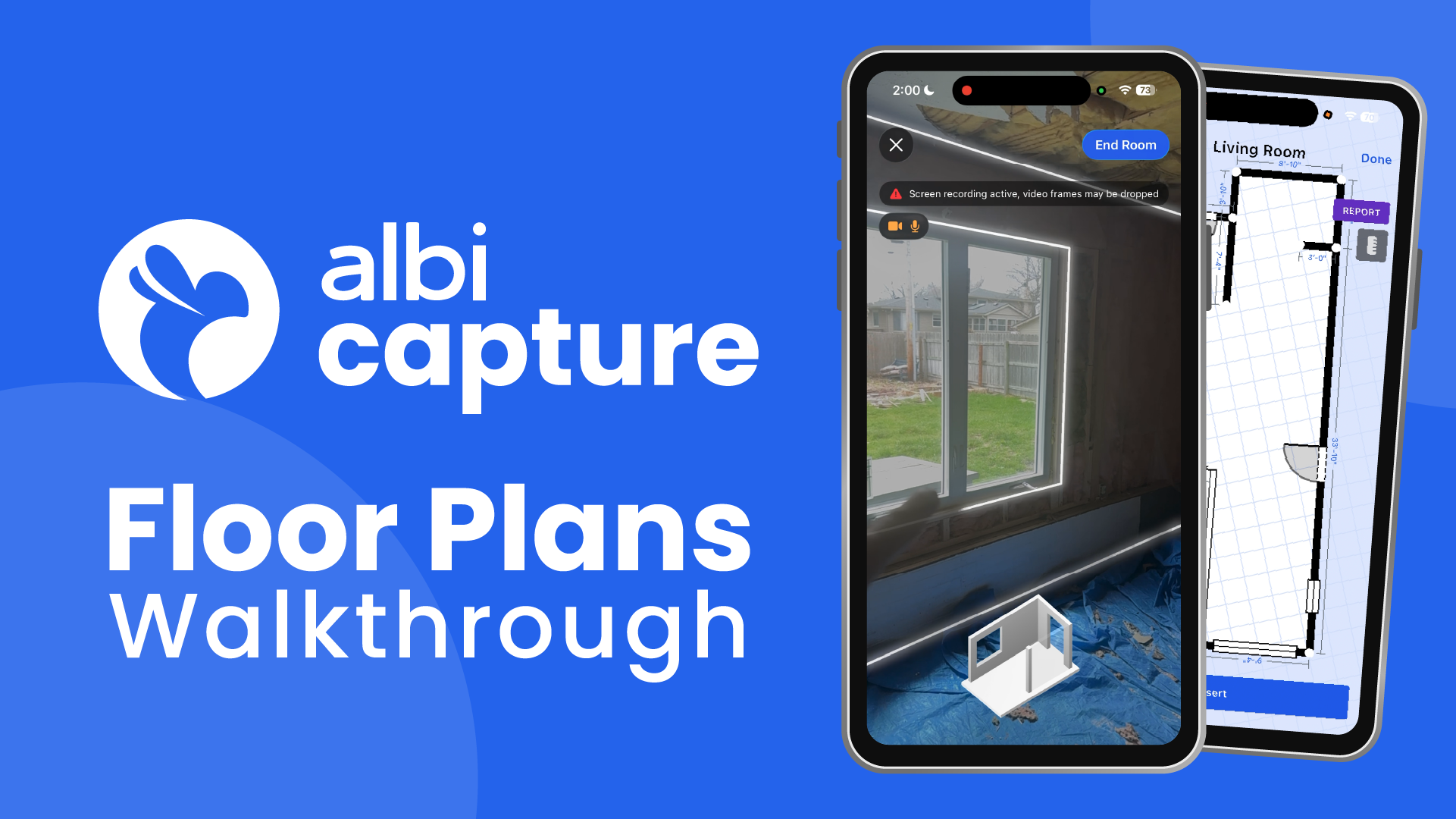
- 1Scan the Room — Walk the perimeter with your iPhone Pro. LiDAR captures dimensions automatically.
- 2Generate Your Floor Plan — Albi stitches your scan into a complete, multi-room floor plan in under 10 seconds.
- 3Pin Your Documentation — Attach photos, 360° images, and videos to room locations.
- 4Push to Xactimate – No re-drawing, no file to import.
- 5Estimator adds line items – Your estimator scopes the job in Xactimate®, line items, materials, the works.
- 6One tap into Albi – Pull those line items directly into Albi to drive billing, work orders, and purchasing. No re-entry.
See Albi 360 in action
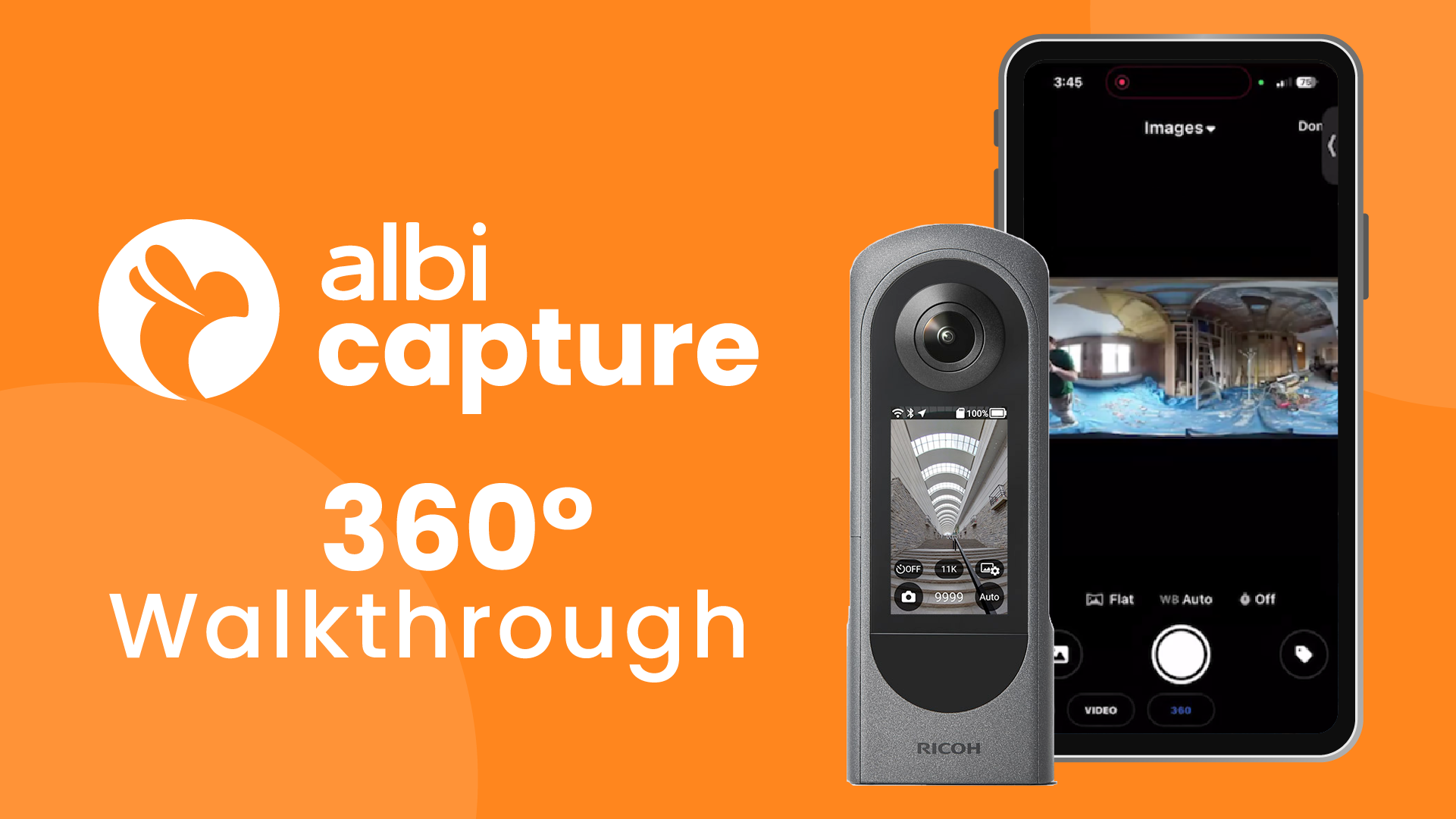
- 1Capture the Space — Connect a Ricoh THETA camera. One tap per room captures the full environment.
- 2Preview on Device — Confirm the record before the tech leaves the site.
- 3Pin and Share — Each 360° image attaches to a room on the floor plan. Estimators, PMs, and adjusters navigate the space remotely.
The Numbers That Matter
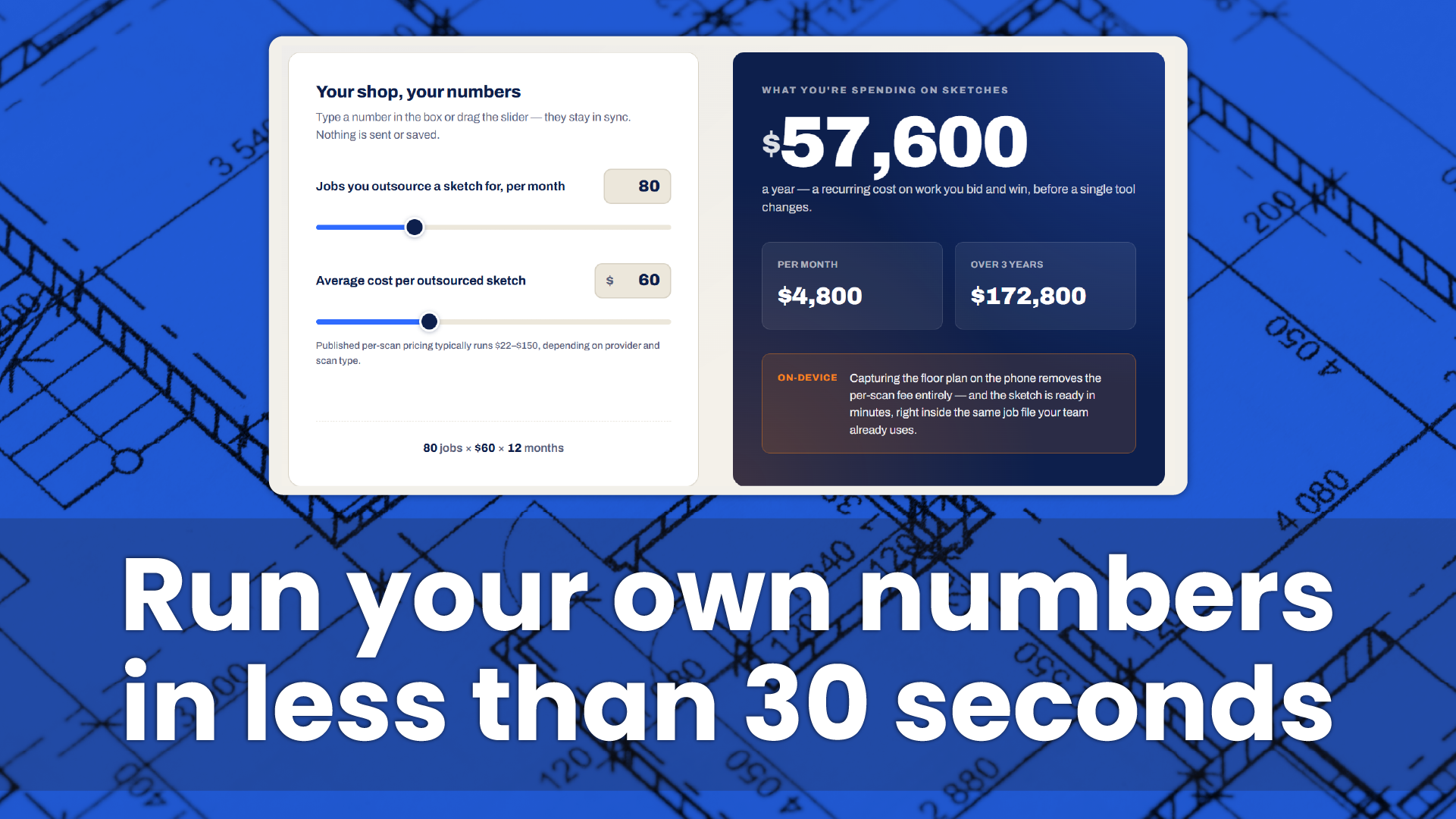
Restoration contractors lose time and money waiting on documentation. Albi Capture eliminates that bottleneck — at the plan, at the site, and at supplement time.
$0
Cost per scan or capture.
10 Seconds
Time to generate a floor plan on site.
98%
Floor plan dimensional accuracy.
$22-$150
Saved per job by eliminating third-party sketch fees.
Bottom Line: Faster documentation. Faster estimates. Faster cash flow.
One workflow. Every kind of evidence.
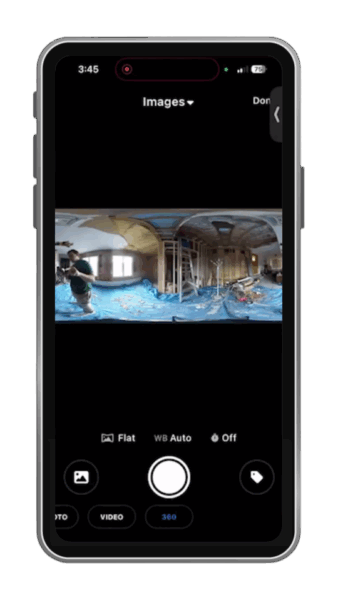

Albi Capture brings floor plans, 360° images, photos, videos, and moisture data into a single capture-to-estimate workflow — built into the Albi app your team already uses.
Albi Capture includes:
- Albi Floorplans: LiDAR scan-to-sketch, ready for estimating.
- Albi 360: immersive 360° image capture, pinned to rooms.
- Albi Virtual Tours: shareable property walkthroughs for remote adjuster review.
- Direct Xactimate ESX export.
One App. One Walk. One Record.
Built for Restorers. Trusted by Restorers.
“Love this feature! The Lidar floor plans capability has greatly improved. With the ability to add into the Drylog, it is saving time while being more productive”

“Having it built into Albi is a lot more convenient and cuts out all the extra steps and duplicate entry. Our techs can create the floor plan right in the field and it’s already where we need it”

“It has significantly streamlined our documentation process. What once required multiple software tools and steps to capture sketching, photos, and notes is now done in a single pass”
Where Albi Capture fits
Every tool in this category solves a real problem. Here's where Albi is the best fit.
|
Capability |
Albi |
DocuSketch |
Encircle |
MagicPlan |
|---|---|---|---|---|
| In-app camera (photos) | ||||
| Video capture | ||||
| 360° capture | Insta360 (soon) + Ricoh THETA | DS1 kit | Ricoh THETA | Insta360 + Ricoh |
| Floor plans with LiDAR | ||||
| Voice-to-text notes during capture | ||||
| Dedicated 360° hardware kit | DS1 + tripod + light | |||
| Per-job fee | $0 | $35-50 | ~$39 | $30-40 |
| Restoration-native workflow | Partial |
How does Albi compare to DocuSketch for restoration floor plans?
DocuSketch is a well-established name in restoration documentation and their managed scan-processing service is a great fit for teams who want a done-for-you workflow. Albi Capture, with Floorplans & 360, takes a different approach: plans are generated on-device in seconds, with iPhone LiDAR and the RICOH Theta camera, which live inside the same job file as your photos, notes, and estimate — so everything your team captures stays in one record.
Is Albi better than MagicPlan for restoration contractors?
MagicPlan is a fantastic general-purpose floor plan app — it’s earned its reputation across construction, real estate, and field services for good reason. Albi Capture is built for one job: restoration. That means floor plans are connected to 360° photos, equipment logs, moisture readings, job notes, and estimates inside a single restoration workflow. If you need a versatile floor plan tool across industries, MagicPlan is excellent. If your entire day is restoration, Albi is built around how you already work.
What about Encircle or CoreLogic?
Both are strong, trusted platforms in the restoration space with deep feature sets many contractors rely on. Albi’s difference is the single-walk capture model — one technician, one pass through the loss site with an iPhone and RICOH camera, produces the floor plan, the 360° record, and the documentation your estimator and adjuster need.
FAQ
Frequently Asked Questions
How do I create a floor plan on my iPhone?
You create a floor plan on iPhone by scanning a room with an app that usesApple’s LiDAR sensor, the depth scanner built into every iPhone Pro since the iPhone 12 Pro. With Albi Floorplans, you walk the room once and the app produces a to-scale floor plan in seconds — no tape measure, no external hardware, no upload-and-wait. The plan is generated on-device and saved directly into the Albi job file alongside your photos, notes, and estimate.
Does iPhone LiDAR work for professional floor plans?
Yes. iPhone LiDAR is the same depth-sensing technology Apple ships in every Pro device for AR and room mapping, and it’s accurate enough for the documentation standards restoration contractors work to underIICRC S500. Albi Floorplans is built specifically to turn LiDAR scans into job-ready floor plans for water, fire, and mold losses.
What’s the best floor plan app for restoration contractors?
The best floor plan app for a restoration contractor is one that connects the plan to the rest of the job — the photos, the moisture readings, the notes, and the estimate.MagicPlanis a fantastic general-purpose option trusted across many industries, andDocuSketchis well-respected for managed scan processing. Albi Floorplans is part of the Albi Capture umbrella — one walk through the loss produces the floor plan, the 360° record, and the documentation, all connected to the job file your estimator is already working in.
How do I export a floor plan to Xactimate?
Today, Albi Floorplans captures the floor plan, room dimensions, and photo documentation inside the same Albi job file your estimator uses to build theXactimateestimate. Direct ESX export is on the Albi Capture roadmap, so the same single walk through the loss will eventually push room geometry straight into Xactimate without re-keying.
How long does it take to scan a room with iPhone LiDAR?
A single room typically takes under a minute to scan with iPhone LiDAR. A full residential water loss across four or five affected rooms generally finishes in well under fifteen minutes from walk-in to completed documentation. With Albi Capture, that same single walk produces the floor plan, the 360° image record, and the photo documentation all together.
How much does Albi Floorplans cost?
Albi Floorplans is included free for every activeAlbisubscriber at launch on April 13, 2026 — no per-scan fee, no separate add-on, no processing queue. It’s part of the Albi Capture umbrella, which also includes 360° Image Capture, launching April 20, 2026. Restoration contractors who aren’t yet Albi subscribers canbook a demo.
How does Albi compare to DocuSketch?
DocuSketchis a well-established name in restoration documentation and a strong fit for teams who want a managed, done-for-you scan-processing workflow. Albi Floorplans takes a different approach — plans are generated on-device in seconds with iPhone LiDAR and live inside the same job file as photos, notes, and estimates. Same goal, different workflow shape.
How does Albi compare to MagicPlan?
MagicPlanis a fantastic general-purpose floor plan app with a loyal following across construction, real estate, and field services. Albi Floorplans is built narrowly for restoration, so every floor plan is connected to the rest of the loss record — 360° photos, moisture readings, equipment logs, and the Xactimate-bound estimate — inside one workflow.
How does Albi compare to Encircle or CoreLogic?
EncircleandCoreLogicare both strong, trusted platforms in the restoration space with deep feature sets many contractors rely on daily. Albi’s difference is the single-walk capture model — one technician, one phone, one pass produces the floor plan, the 360° record, and the documentation all connected in one job file.
Can I create a floor plan without a tape measure?
Yes. Albi Floorplans uses your iPhone’sLiDAR sensorto measure the room automatically as you walk it. Wall lengths, room dimensions, and square footage are calculated in real time and saved with the job.
What iPhone do I need for Albi Floorplans?
Albi Floorplans requires an iPhone Pro model withLiDAR— iPhone 12 Pro or any newer Pro / Pro Max device. The LiDAR sensor is what enables accurate on-device floor plan generation without external scanners or tripods.
How do restoration contractors document water damage for insurance claims?
Restoration contractors document water damage with photos, moisture readings, room measurements, and a floor plan of the affected area, all tied to the claim file underIICRC S500standards. Albi Capture produces the floor plan, 360° walk, and photo documentation in a single pass, connected to the job file and ready to share with the adjuster.
Is there a free floor plan app for restoration and insurance work?
Albi Floorplans is included free for every activeAlbisubscriber as part of the Albi Capture umbrella — no per-scan charges, no external processing fees, no separate upgrade. Available the moment Floorplans launches on April 13, 2026.
Can Albi floor plans be shared with adjusters and clients?
Yes. Floor plans captured in Albi live inside the job file and can be shared with adjusters, clients, and sub-trades directly from the app. The plan travels with the photos, notes, and estimate, so everyone working on the claim sees the same record.
What’s the difference between Albi Floorplans and Albi 360 Capture?
Albi Floorplans creates the to-scale floor plan of a loss site; Albi 360 Capture records an immersive 360° visual walk-through. Together they form Albi Capture: one walk, one record, everything the estimator and adjuster need. Floorplans launches April 13, 2026; 360 Capture launches April 20, 2026.
What is Albi 360?
Albi 360 is a 360° image capture feature inside Albi Capture that creates a navigable, full-environment record of every room on a restoration job site. The 360° images pin to the floor plan and save directly into the Albi job file, alongside notes, photos, and the estimate — replacing fragmented flat photo folders with a single connected record of the loss.
What camera does Albi 360 use?
Albi 360 works with Ricoh THETA cameras, with Insta360 support coming soon. The camera connects directly to the Albi app on iPhone — no laptop, no third-party software, and no separate upload step. Captures save straight into the Albi job file.
How much does Albi 360 cost?
Albi 360 is included in every Albi subscription at no extra charge. Restoration contractors get unlimited 360° captures as part of Albi Capture, which also includes Albi Floorplans — no per-scan fees, no processing queue, no add-on subscription.
Can adjusters and remote estimators review 360° images without visiting the site?
Yes. Albi 360 captures live inside the Albi job file and can be shared for remote review, so adjusters, estimators, and office-based project managers walk through a loss site virtually. That supports faster supplement approvals and fewer follow-up site visits.
What’s the difference between Albi Floorplans and Albi 360?
Albi Floorplans and Albi 360 are two separate capture tools inside Albi Capture. Albi Floorplans generates a to-scale floor plan of a loss site from an iPhone Pro LiDAR scan. Albi 360 captures an immersive 360° image record of each room using a Ricoh THETA camera (Insta360 coming soon). Each tool has its own hardware and workflow, but both save outputs directly into the same Albi job file — so a single job ends up with a floor plan, 360° images, notes, photos, and the estimate in one record. Both are included in an Albi subscription.
How do restoration contractors use 360 photos for insurance claims?
Restoration contractors use 360° photos to document insurance claims by capturing a full-room, immersive visual record of every space affected by water, fire, or mold damage — giving adjusters a navigable walkthrough of the loss site without a return visit. The 360° record supports scope of work, supplement approvals, and pre- and post-mitigation documentation under IICRC S500 standards. With Albi 360, contractors capture this record using a Ricoh THETA camera (Insta360 coming soon), and the 360° images save directly into the same Albi job file as the floor plan, notes, and estimate — keeping every piece of the claim’s visual evidence together in one connected record.
Do I need to re-draw my floor plans in Xactimate® Sketch®?
No. Sketches drawn in Albi push directly into Xactimate® Sketch® — the re-drawing step is eliminated entirely. Each push creates a new version in Xactimate® containing the selected floor plans.
Can I also generate an ESX file instead of using the direct Xactimate® push?
Yes. ESX file export is available alongside the direct push workflow. Use it when you need to share floor plans with a party who requires a standalone file, or for offline transfer scenarios. Both options appear in Albi’s floor plans panel.
Is there an additional cost for the Xactimate® integration?
There is no additional charge from Verisk. Contact your Albi account manager to confirm whether the integration is included in your current plan.